EchoSpace
Project Overview:
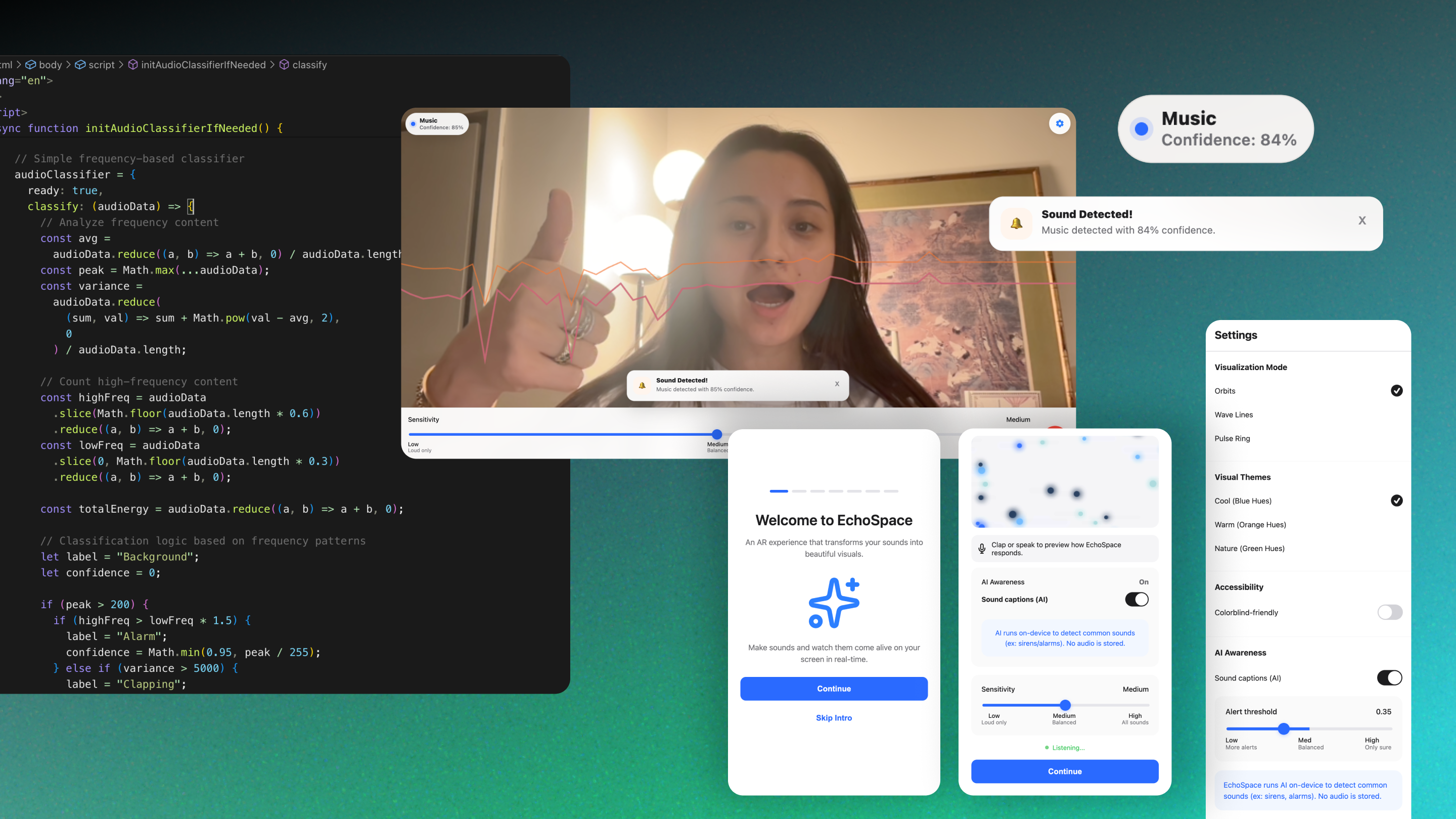
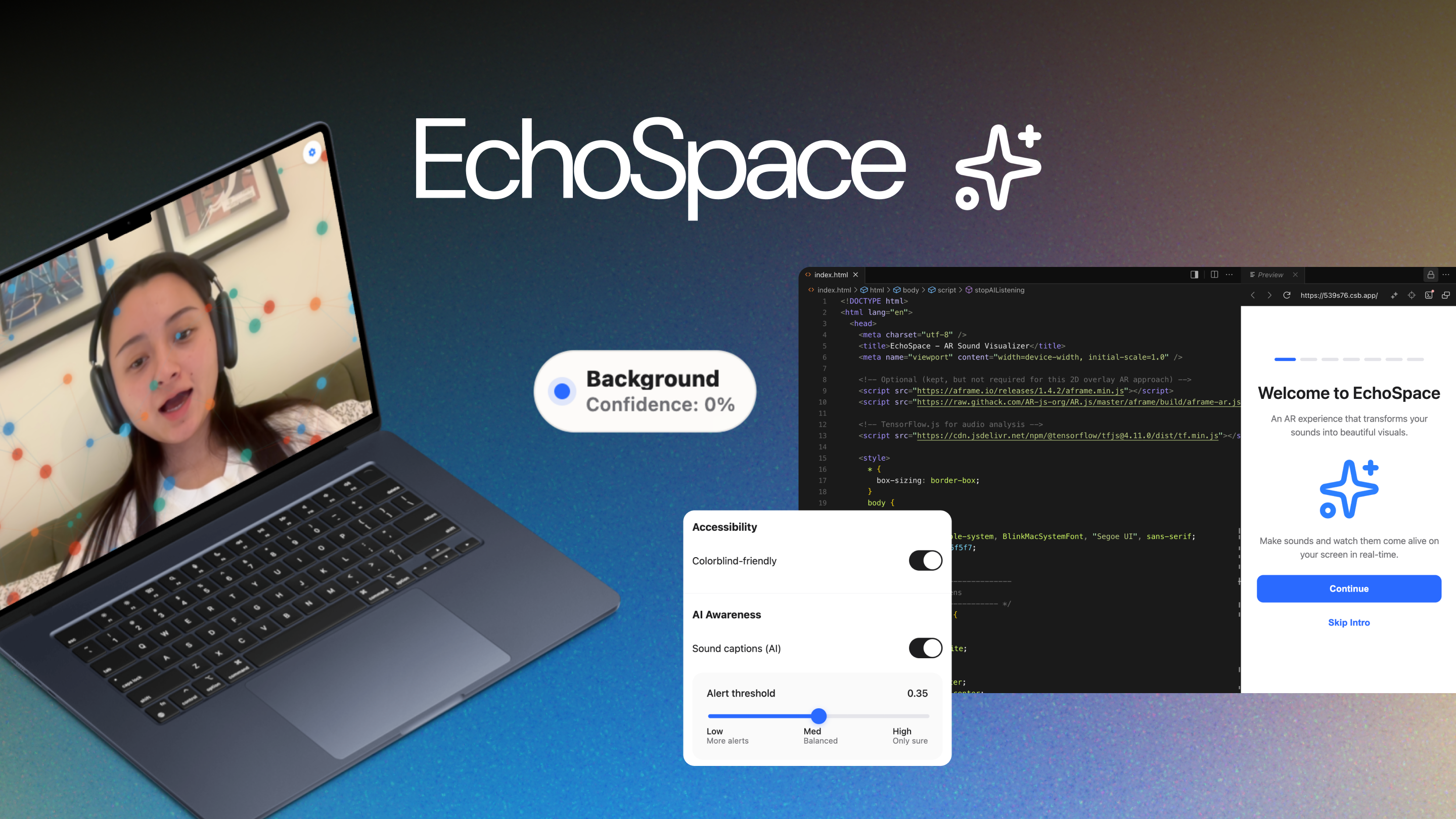
EchoSpace uses a live camera feed combined with real-time audio analysis to render sound-reactive visuals directly onto the user’s environment. Users can switch between multiple visualization modes, adjust sensitivity, and enable an optional AI Awareness feature that attempts to label detected sounds and surface alerts based on confidence.
The project was designed and built end-to-end as a high-fidelity prototype to explore interaction patterns at the intersection of AR, audio, and applied AI in the browser.
What if augmented reality didn’t just show information.. but helped us understand the world more clearly?
Framing the Problem:
Making Sound Legible in AR
Sound is constant, but often invisible and difficult to interpret especially in dynamic environments. Many sound-visualization tools are either highly technical, require specialized hardware, or lack contextual awareness.
I set out to explore:
- How sound could be made visually legible in everyday environments using AR
- How AI-based sound awareness could add value without overwhelming users
- How to build trust around microphone and camera access in a browser context
The challenge was not only technical, but experiential: balancing expressiveness, clarity, performance, and user control.
Designing the System:
Visual Language + User Control
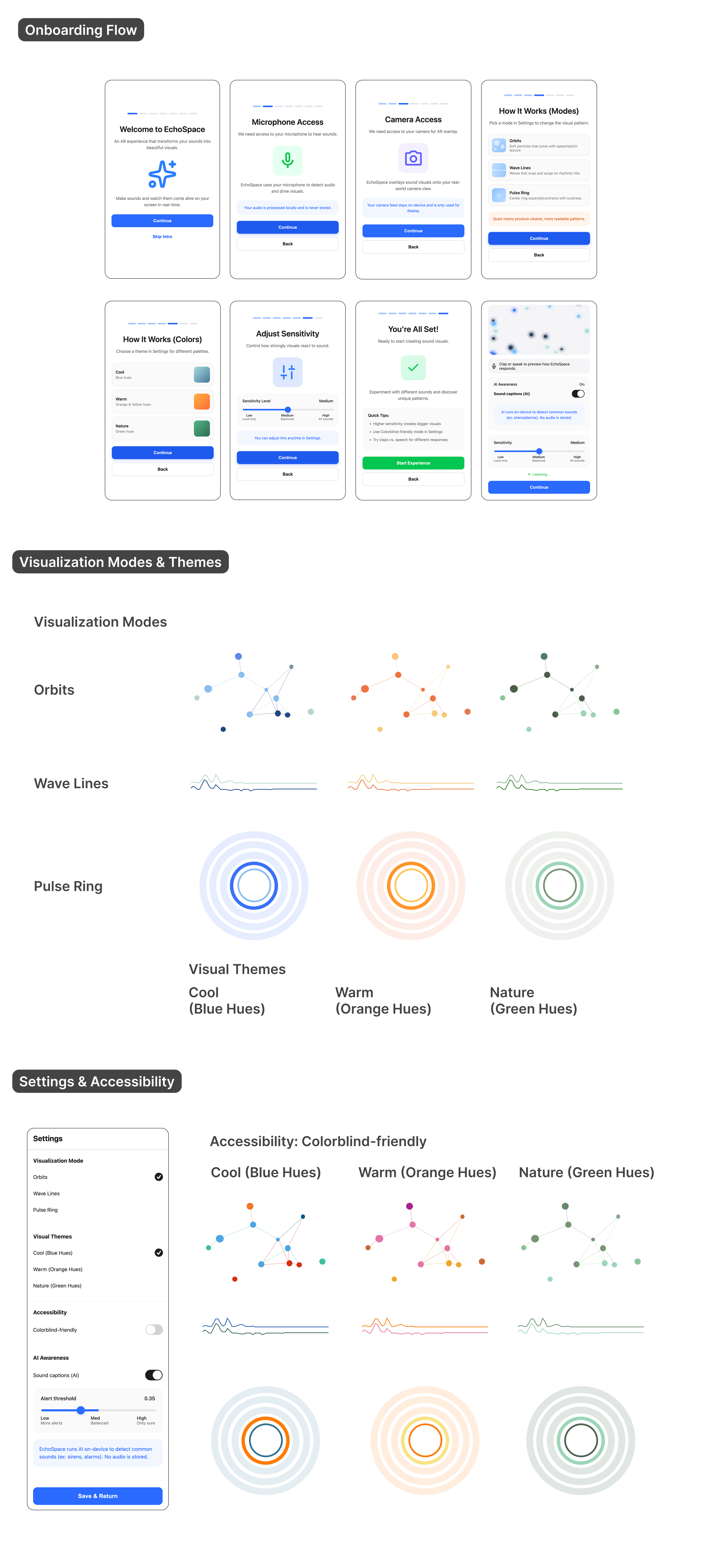
I designed EchoSpace around three complementary visualization modes, each mapping sound data to a distinct visual behavior:
- Orbits: particle-based visuals that respond to vocal texture and pitch variation
- Wave Lines: line-based motion emphasizing rhythmic and percussive sounds
- Pulse Ring: a central radial form driven primarily by amplitude and loudness
Interaction Controls & Accessibility Considerations
To ensure EchoSpace remained usable across different environments, devices, and user needs, I designed several system-level controls that directly influence perception and trust.
Adjustable Sensitivity (Setup + Live Use)
Because audio input varies by device and environment, sensitivity controls are available during both setup and live use. This allows users to calibrate responsiveness in context—supporting quieter spaces while preventing visual overload in louder environments.
Visual Themes and Colorblind-Friendly Mode
Multiple visual themes support different lighting conditions and preferences. A colorblind-friendly mode replaces hue-dependent distinctions with high-contrast palettes, ensuring visual clarity without relying on color alone to convey system state.
Structured Onboarding Flow
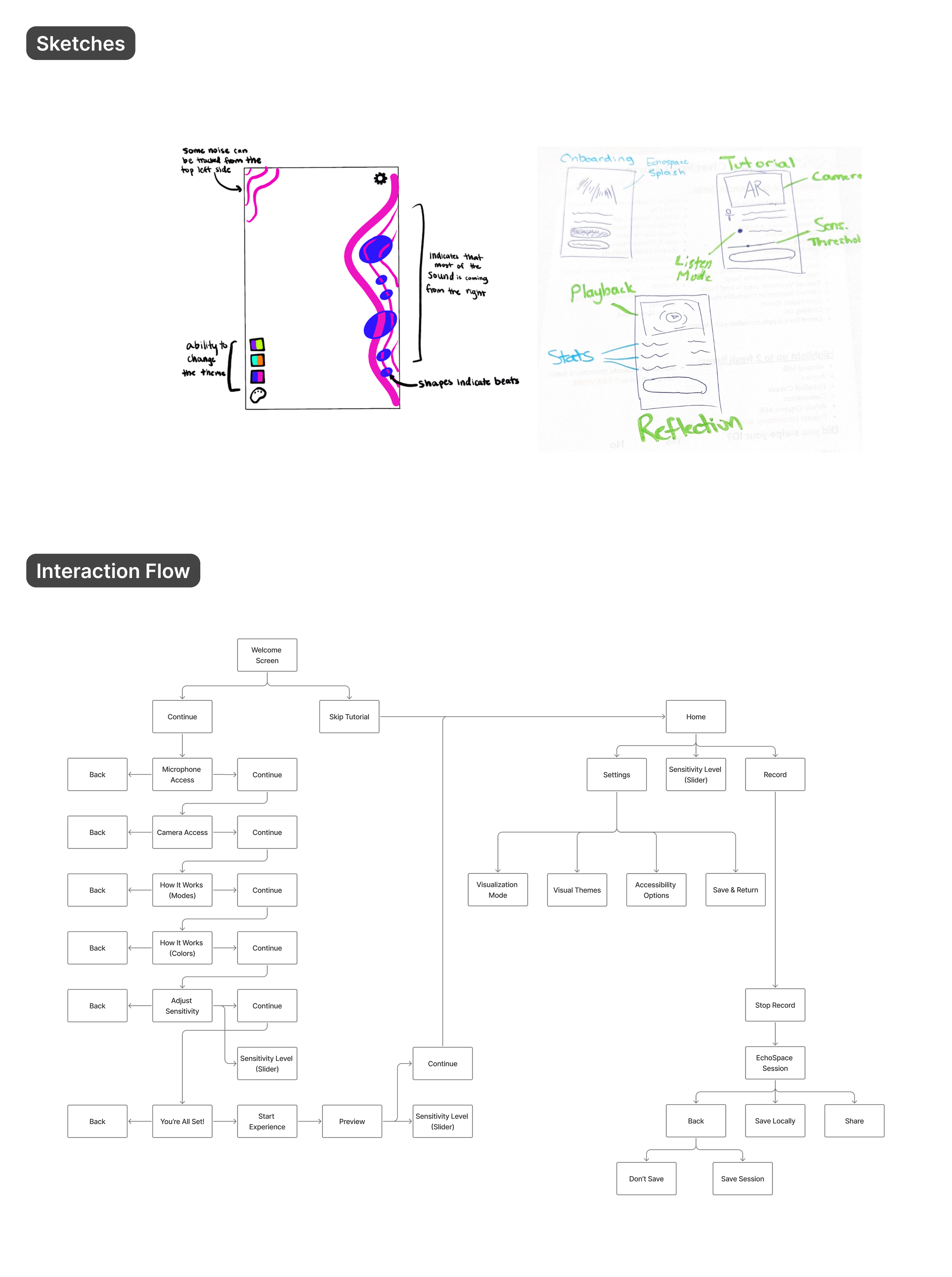
Onboarding was designed as a core experience to establish trust around microphone and camera access. A guided, step-by-step flow explains system intent, data handling, and expected behavior, with a live preview that allows users to validate the experience before activation.
AI Awareness:
Exploratory Sound Classification in the Browser
Beyond visualization, I explored how lightweight AI could help users better understand their auditory environment.
EchoSpace includes an AI Awareness layer that:
- Continuously analyzes incoming audio
- Displays live sound “captions” in a subtle overlay
- Escalates feedback based on confidence thresholds
Confidence-based behavior
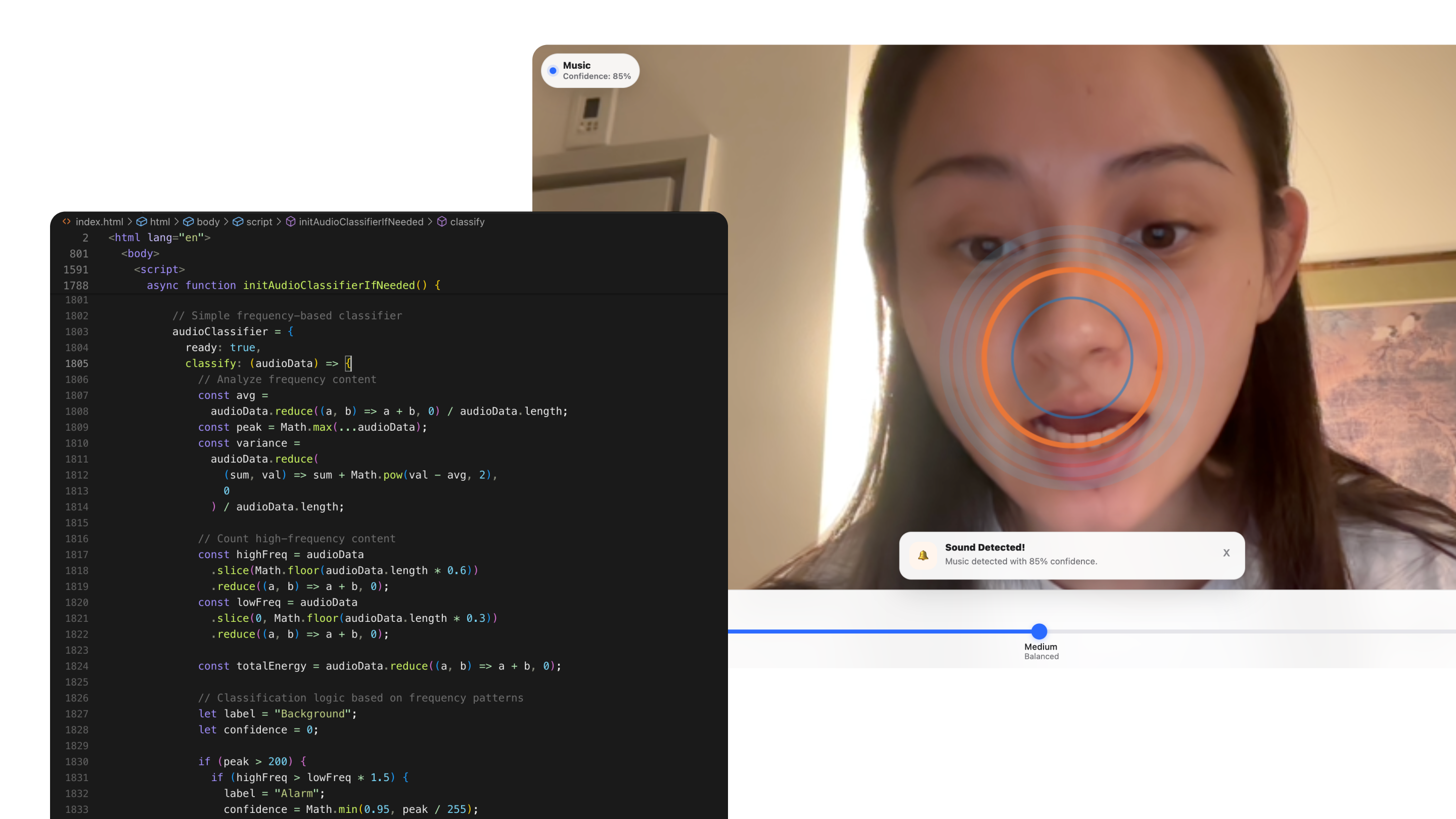
- 50–74% confidence: small, non-intrusive popup near the AI indicator
- 75%+ confidence: a dismissible alert toast indicating a potentially important sound
The current system uses a frequency-based heuristic classifier (energy, variance, and frequency distribution) rather than a trained deep model. This approach was intentionally chosen to:
- Run entirely on-device
- Avoid compatibility issues common with heavier models in browsers
- Enable rapid iteration on interaction and alert design
While accuracy is limited compared to trained models (approximately 40–60% in informal testing), the prototype effectively demonstrates the UX patterns, thresholds, and escalation logic required for sound awareness systems.
Outcomes, Learnings, and Future Direction
EchoSpace resulted in a fully functional AR prototype that integrates sound visualization, user-controlled sensitivity, and exploratory AI-driven awareness in a single browser experience.
Key learnings:
- Clear onboarding significantly reduces permission friction and drop-off
- Maintaining a baseline visual presence prevents “dead” or confusing states in quiet environments
- AI uncertainty must be designed for explicitly—confidence thresholds and graduated feedback are critical
EchoSpace serves as both a creative exploration and a practical investigation into how AR and AI can work together to augment human perception in responsible, user-centered ways.
Future iterations I would like to explore:
Integrating a trained audio model (e.g., YAMNet-class architectures) when browser support stabilizes
Expanding sound categories into user-meaningful groups (safety, people, environment)
Capturing and exporting AR sessions for sharing or review
