Skillshare
Project Overview:
"Sage" – A Conversational Guide for Skillshare
Guiding the Journey: Enhancing the Skillshare Experience with Sage
This project focused on transforming the user experience for Skillshare, an online learning platform, by designing a dedicated service agent. The core goal was to create a wise and supportive conversational guide that could seamlessly integrate into the platform to help users discover, develop, and master new skills. We named this agent Sage, inspired by the Latin word sapere, meaning "to be wise". Sage was designed to be an Encouraging, Resourceful, and Engaging tool that simplifies complex tasks and supports users in resolving issues.
The Supportive Guide: Defining Sage's Identity and Role
The team set out to create an agent that serves every type of Skillshare user from beginners picking up a new hobby to professionals aiming to upskill, or creators hoping to share their knowledge.
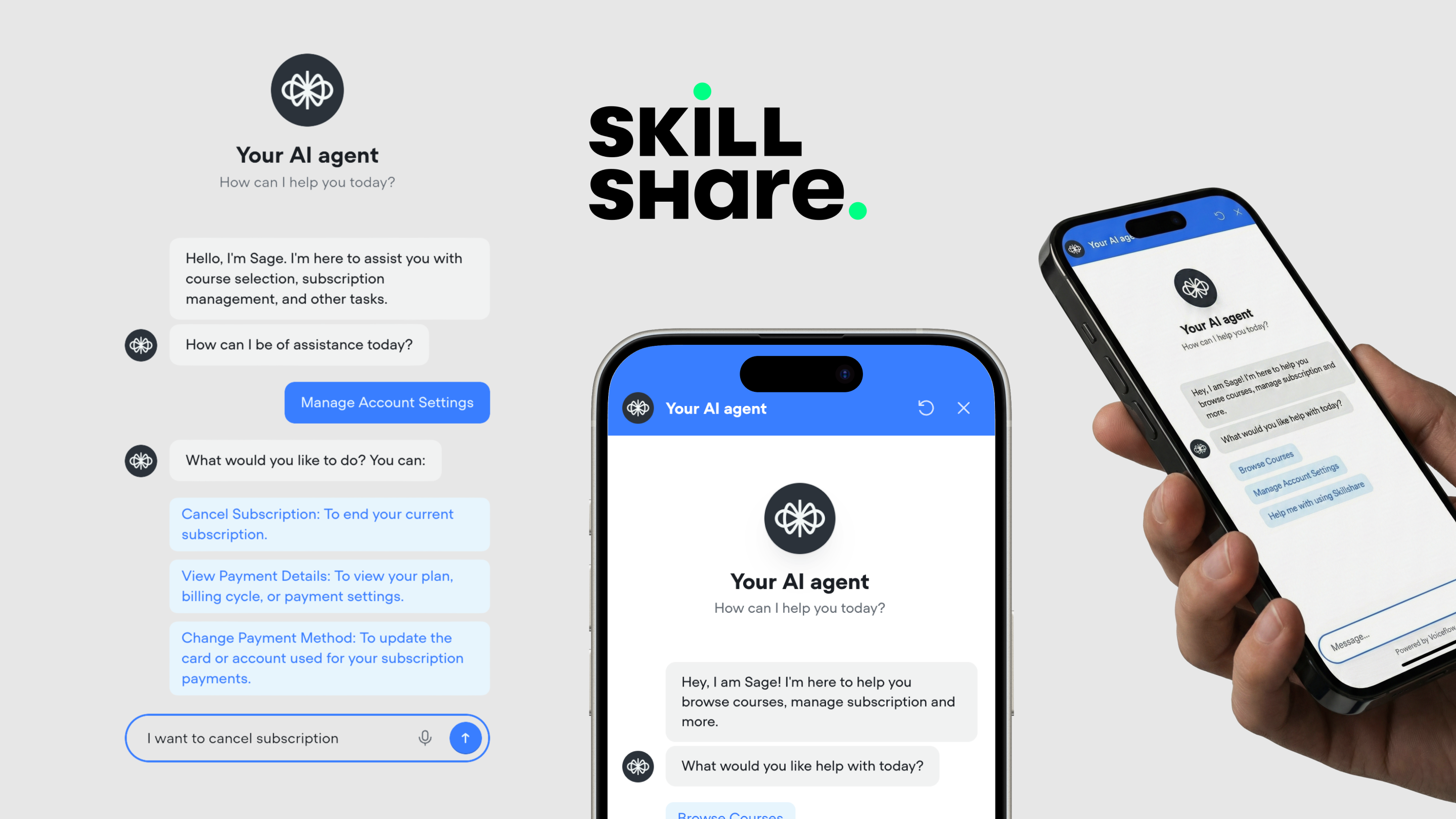
Agent Persona & Style
Sage's conversational style was crafted to be smooth, enjoyable, and stress-free.
- Encouraging: Provides positive reinforcement to motivate the user's learning journey.
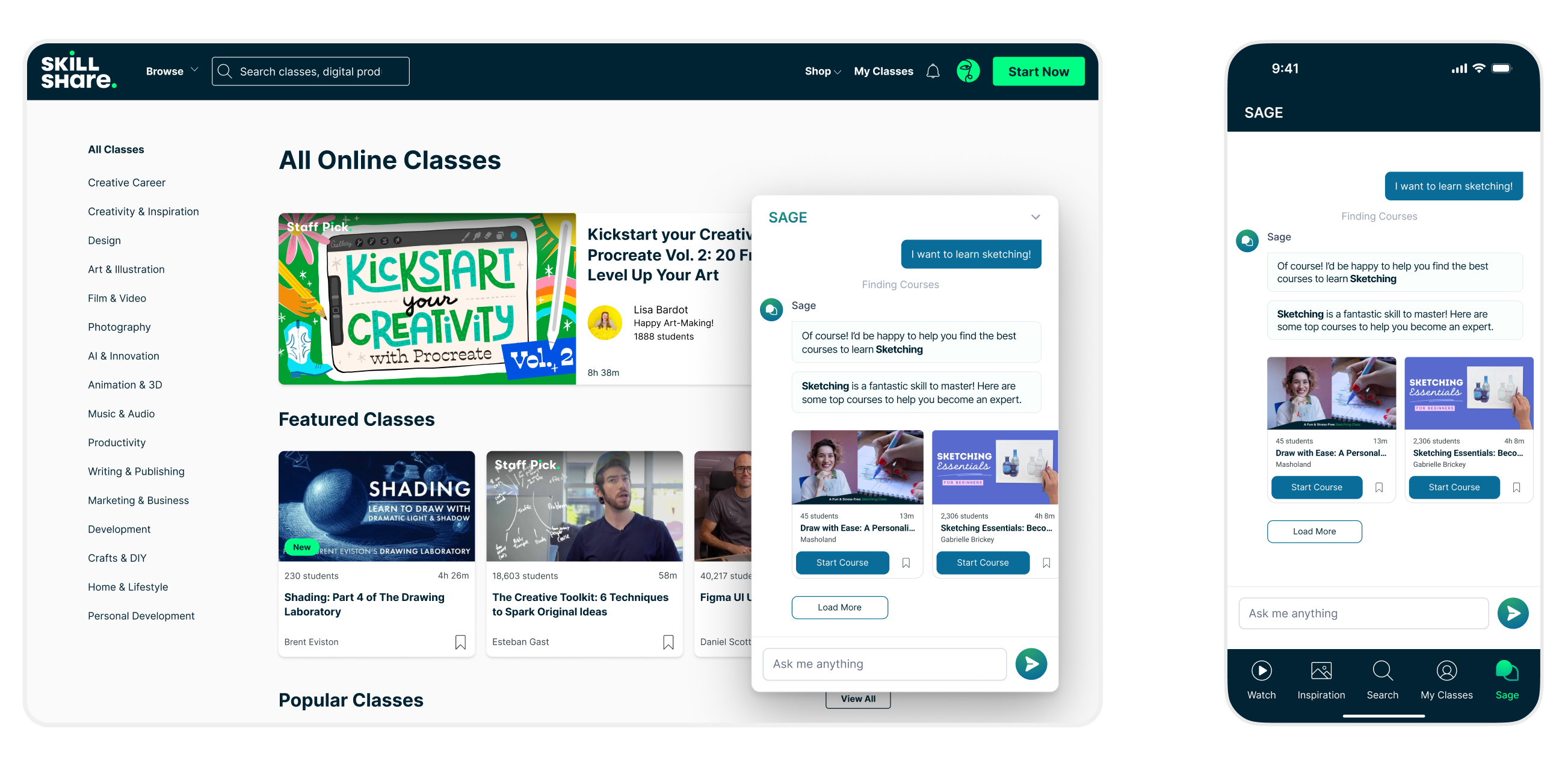
- Example: "Sketching Is A Fantastic Skill To Master! Here Are Some Top Courses To Help You Become An Expert."
- Resourceful: Helps users find exactly what they need, whether it's a course or account information.
- Example: "Of Course! I Can Assist You In Finding The Perfect Course. Could You Share The Skill You're Interested In Learning..."
- Engaging: Maintains a motivating and professional tone, even in difficult conversations.
- Example (on cancellation): "Sorry To See You Go! You Still Have 13 Days To Learn On Skillshare Before Your Next Billing Cycle. Find A Class And Watch Your First Video."
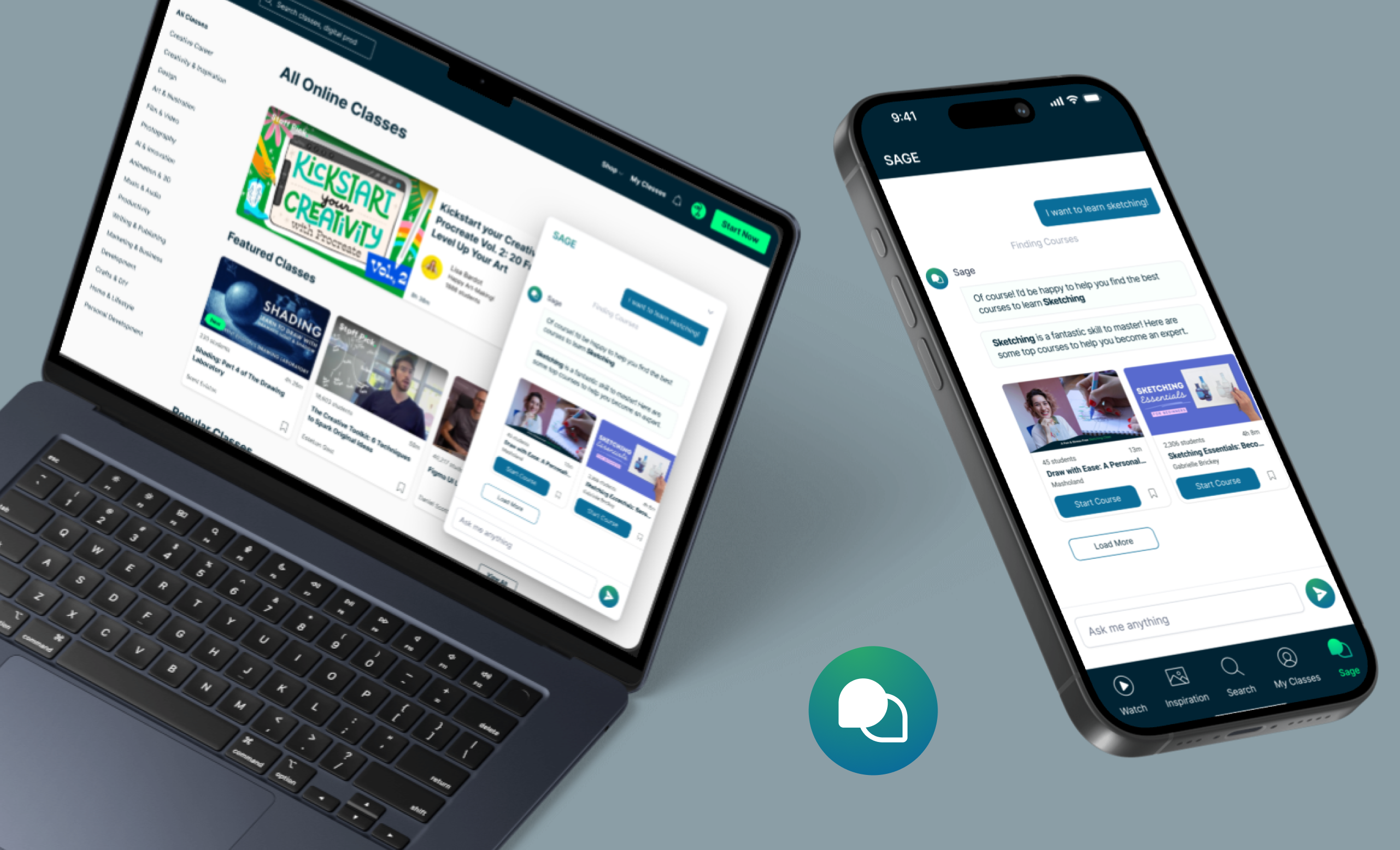
Sage’s Platform Footprint: A Context-Based Action button to discover capabilities while browsing & A Separate Tab on the Mobile App for a dedicated, less cluttered view.
The Challenge & Strategy:
Navigating Complexity: The Core Challenge and Problem Definition
The primary problem Sage was designed to solve was helping users overcome the complexity of the Skillshare platform's many functions, which include course discovery, account management, and finding instructional help.
- The Problem: Users on a content-rich platform like Skillshare can feel overwhelmed when trying to find the most suitable course, skill, or creator. Existing support paths for administrative tasks or teaching resources needed consolidation into one intuitive interface.
- The Role of Conversation: We needed to create a conversational interface that could effectively handle a variety of tasks from simple browsing to high-security actions like canceling a subscription all without losing its helpful, encouraging personality.
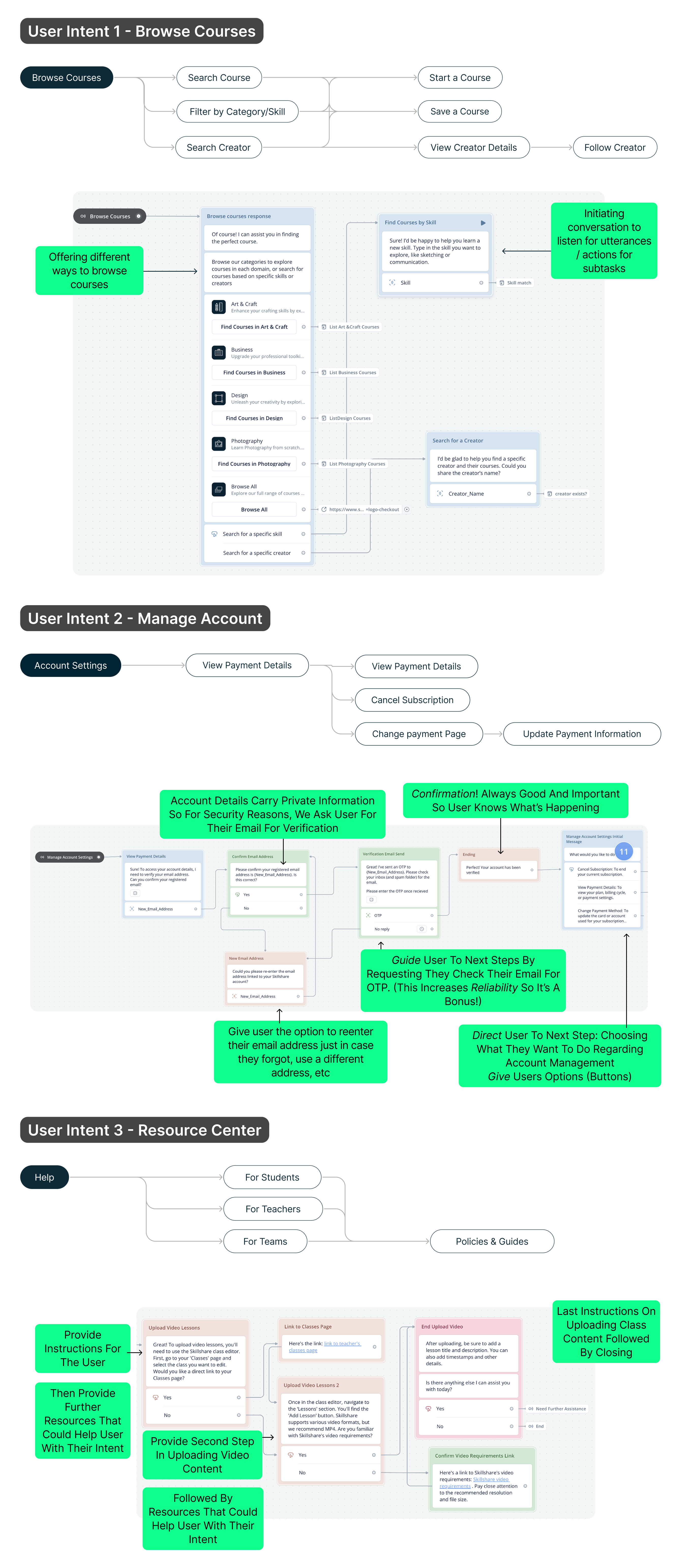
- User Intents Targeted: To address this, we focused on three major user intents: Browse Courses, Manage Account, and the Resource Center
Structuring the Conversation: Strategy for Prioritizing Core User Intents
Our strategy was to build comprehensive conversational flows around the three core intents, ensuring every path offered clear guidance and proactive support.
The Three-Pillar Strategy:
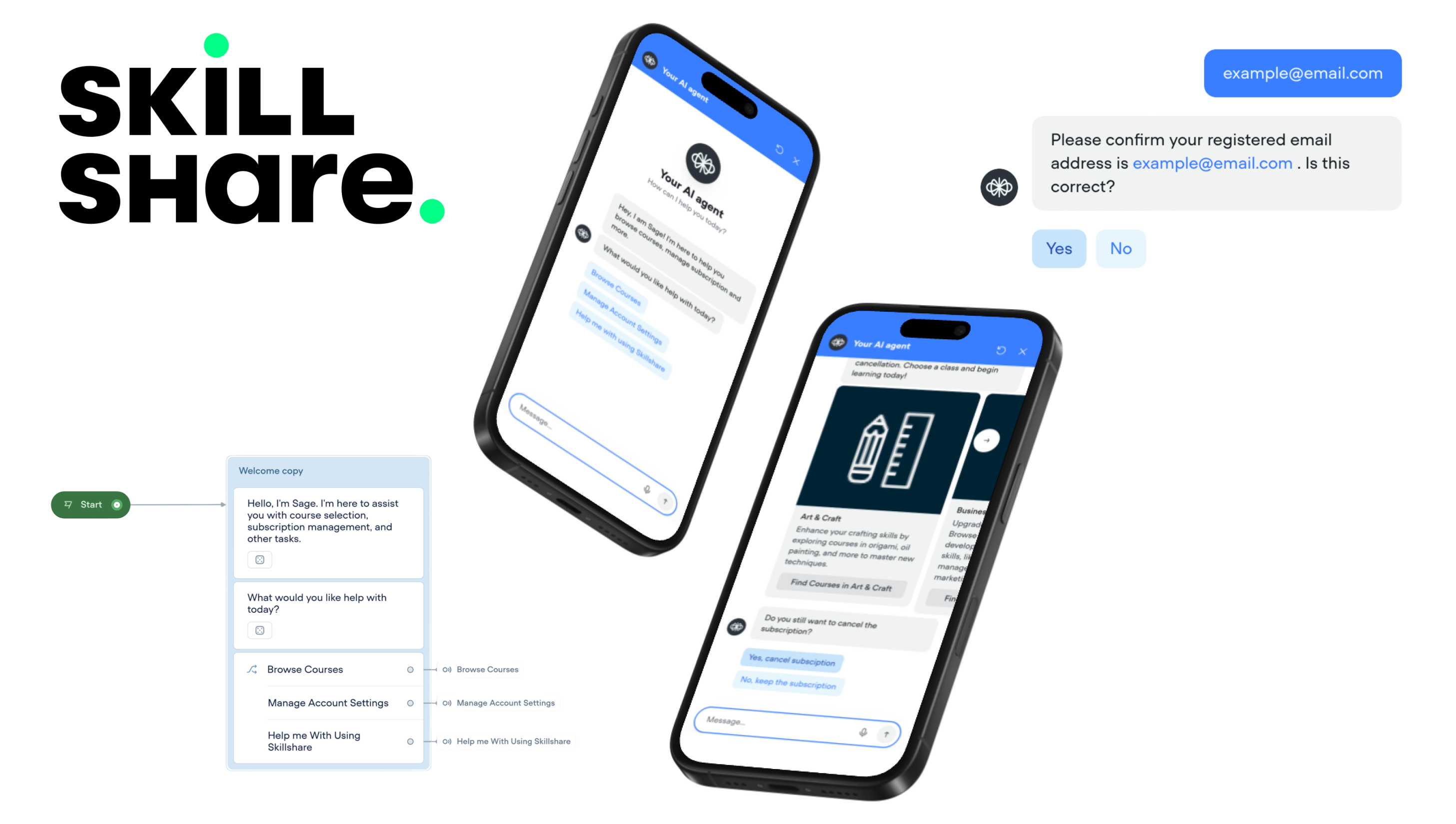
Browse Courses: Focus on easy discovery via skill, category, or creator. The agent provides tailored responses, for instance, by extracting a skill variable from the user's utterance and returning a curated list of top courses.
Manage Account: Prioritize security for sensitive tasks like viewing payment details or canceling a subscription. This required mandatory identity verification via the user's registered email address and an OTP.
Resource Center: Offer direct instructions for both Students (e.g., referrals) and Teachers (e.g., uploading class content). The strategy here was to be quick, simple, and direct.
The Solution:
Designing for Empathy and Security: The Sage Solution
The solution involved detailed flow design that balanced user convenience with security and support.
Enhancing Discovery with Proactive Encouragement
In the "Browse Courses" flow, Sage doesn't just return a list; it validates the user's choice with a personalized, encouraging statement, such as acknowledging that a requested skill "is a fantastic skill to master". When a user searches for a skill that is unavailable, the agent shifts to a resourceful mode by suggesting different categories rather than providing a dead-end response.
A Secure and Guided Account Management Process
For account management, security was non-negotiable. Sage initiates the conversation by requesting the user to confirm their registered email address for verification. This is followed by an OTP process, which was crucial for maintaining the security of private information like subscription and payment details. The agent's response for cancellation also includes an emotional expression, "We're sorry to see you leave!" and offers a final, engaging deal to retain the user.
The Conclusion:
Learnings & Refining the Conversational Flow
Proactive Error Management
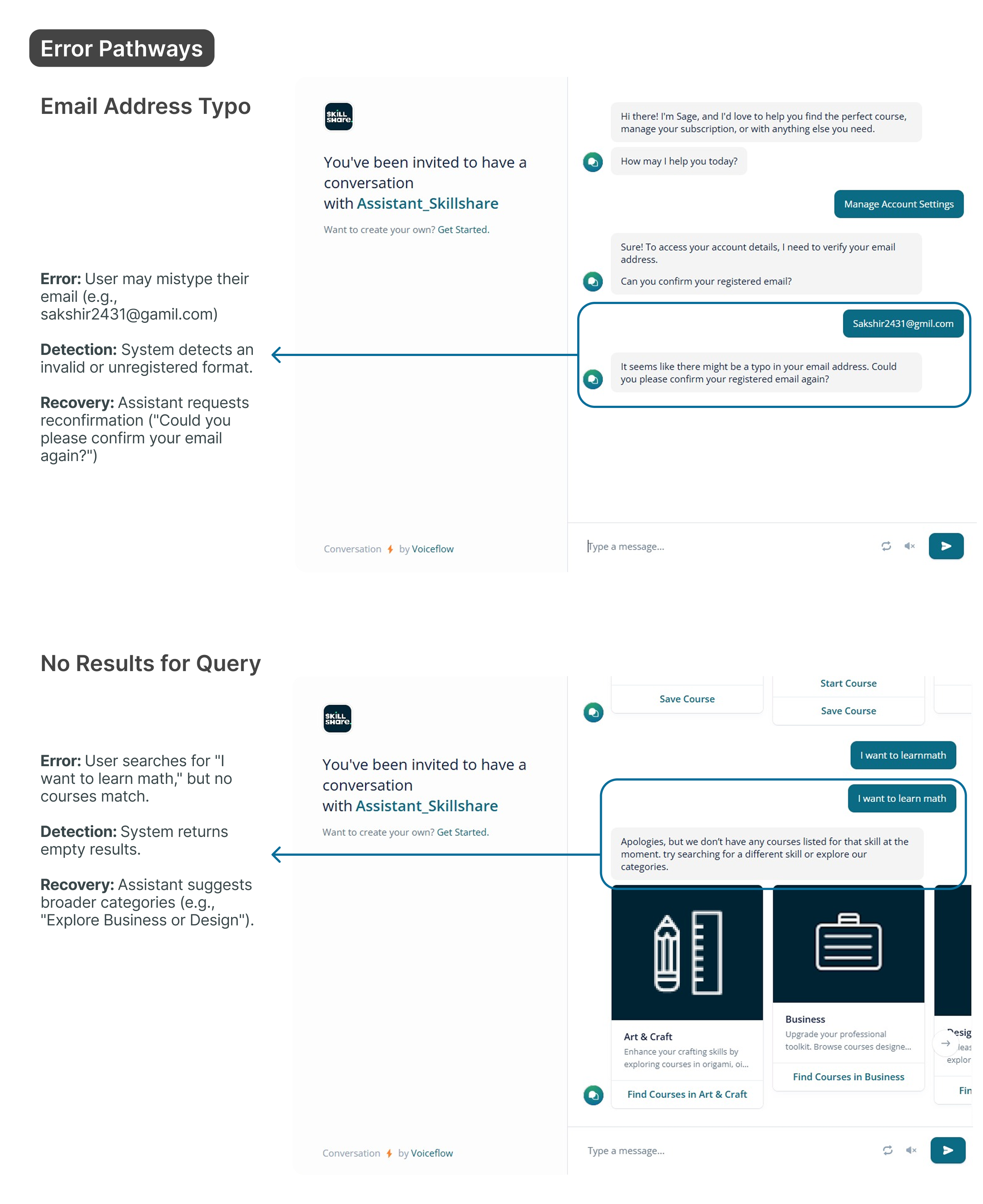
A significant achievement was the proactive design for error pathways, ensuring that user errors are met with helpful recovery steps:
- Typo in Email: Detection of invalid formats (e.g., "gamil") leads to real-time validation and autocorrect suggestions, followed by a request for reconfirmation.
- No Results for Query: When a course is not found (e.g., "I want to learn math"), SAGE suggests broader categories or even courses from other platforms to fulfill the user's underlying need for learning.
Key Takeaways and Lessons Learned
User Feedback/Observation
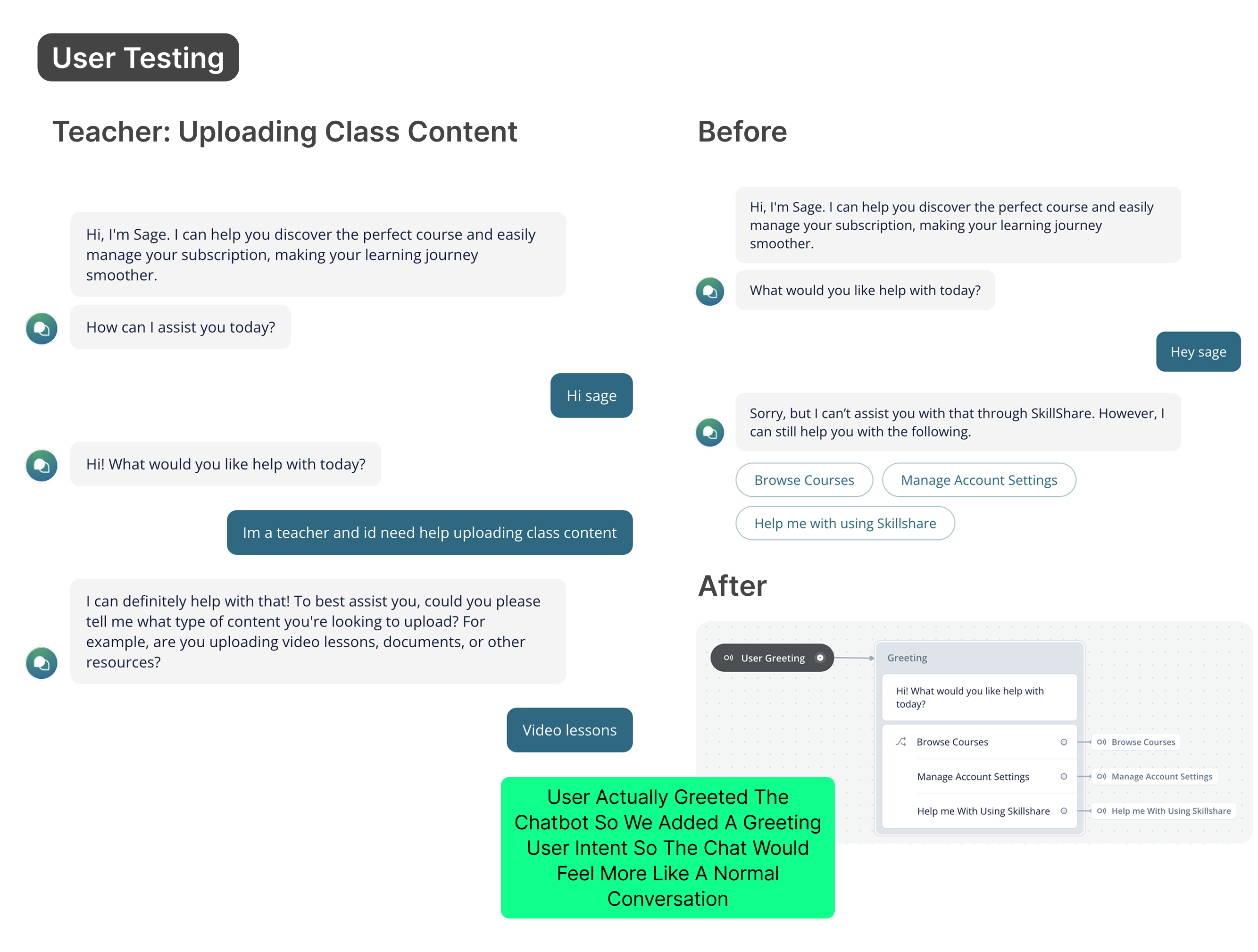
Friction in Security: Users found it very annoying to enter their email and OTP repeatedly for every account management action.
Design Lesson
The initial design, while highly secure, introduced excessive friction. The lesson is that security should not impede usability once identity is established.
User Feedback/Observation
Onboarding Expectation: One user expected to see course categories immediately after clicking 'Browse Courses,' feeling an extra step was unnecessary.
Design Lesson
The agent must anticipate the user's next likely action. The lesson is to show categories upfront in the browsing flow to reduce navigation steps.
User Feedback/Observation
General Non-Intent: Users had requests outside the major intents (e.g., purchasing products, signing up as a teacher).
Design Lesson
A resourceful agent should gracefully handle out-of-scope requests. The lesson is to provide explicit hand-offs for different non-intents.
FYI & Conclusion
Excluded User Intents:
Certain user intents, listed below, have been excluded from the current scope to prioritize detailed exploration of specific flows selected based on their significance and feasibility:
- Manage course
- Taking lessons
- Engaging with course community
- Selling & purchasing products
- Finding resources
- Reading resources
- Other Account Settings
- Signing up as a teacher
The project culminated in a series of key reflections and actionable insights that prioritize learning and future improvements.
Core Impact
Sage, a supportive guide, is designed to seamlessly integrate with Skillshare. Aiming to transform the learning experience of our users. By embodying Encouraging, Resourceful, and Engaging traits, Sage empowers users to discover, develop, and master new skills.
Achievements
Three core intents: 'Browse Courses', 'Manage Account', and ‘Resource Center’ providing intuitive navigation and account management.Proactive error handling (ie. email validation, clear OTP instructions)
Innovative Features & Impact
Personalized Learning Paths - Add filtering capabilities within browse courses